
Reboots App: Recovery Balance Score & Device Control
Jessica Steiner
Is your recovery keeping up with your training? Starting today, the Reboots app shows you exactly that - with a score from 0 to 100. The new Recovery Balance Score is free, works with your Garmin, Whoop, or Oura, and doesn’t require a Reboots device. And if you have one, you can control your compression massage right from the same app.

What is the Reboots app?
The Reboots app is your Recovery companion on your smartphone. It shows you how your recovery is keeping up with your training and lets you control your compression massage sessions. You can use the Recovery Balance Score even without a Reboots device.
The Recovery Balance Score is at the heart of the new update. On a scale of 0 to 100, it shows the balance between your training load and active recovery. Your training data comes from your wearable, whether it’s Garmin, Whoop or Oura. So you can see where you stand at a glance. The score is free.
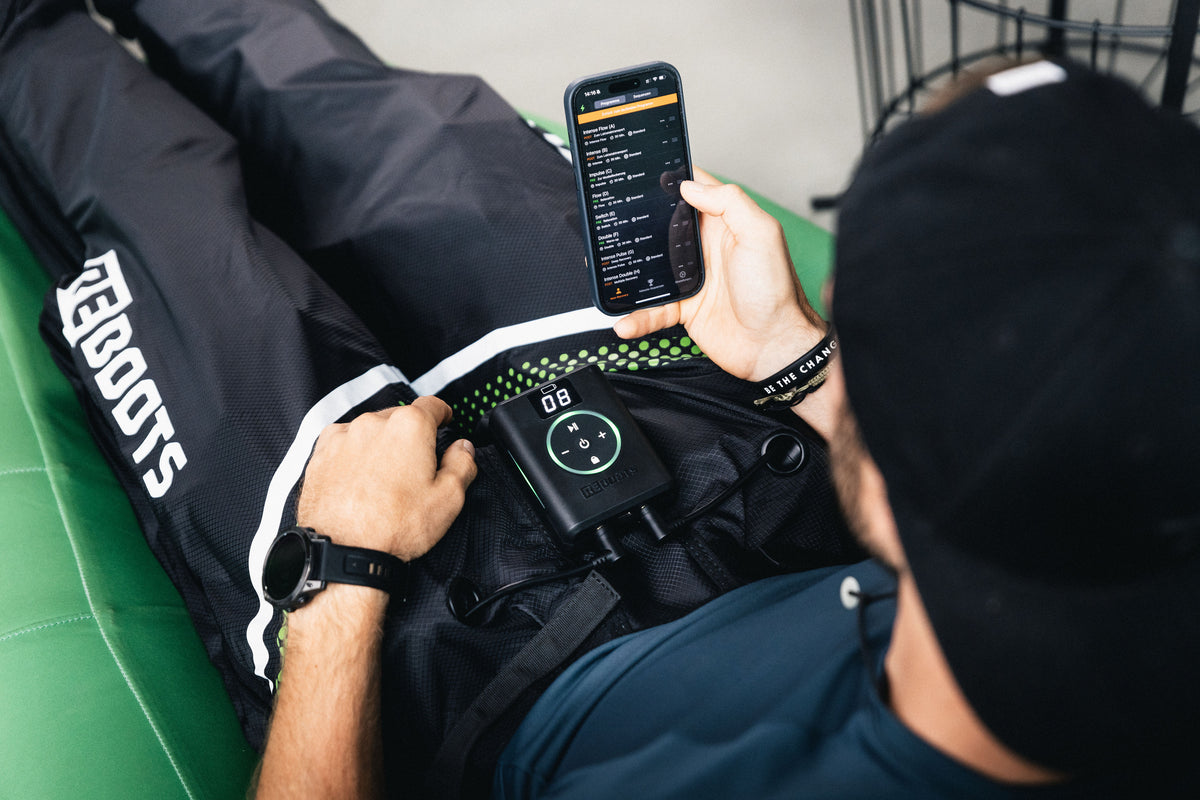
With a Reboots device like the Go X, the app becomes your control center for compression massage. The compact controller handles connectivity and basic functions. In the app, you can choose programs, adjust the pressure and create your own sequences. The Program Designer lets you build complete programs yourself, also for free. With Premium, the app also suggests sequences tailored to your score.

New: The Recovery Balance Score
You track miles, watts, and training time. But how much have you balanced out with recovery? The Recovery Balance Score brings both sides together. On a scale of 0 to 100, it shows how your training load and active recovery stack up. One look tells you where you stand.
How your score is calculated
It combines two inputs:
- Training load – from your connected wearable
- Active recovery – from your Recovery sessions in the app. If you have a Reboots device, your sessions count automatically. [Which Recovery sessions can be logged without a device: PLEASE CHECK]
How to read it
- 0–39: Your training load is ahead. This is a good time to plan a Recovery session.
- 40–69: Training and recovery are moving closer to balance.
- 70–100: Your recovery is keeping pace with your training.

Explore the app
Connect your wearable, such as Apple, Garmin, Polar, Oura or Whoop, to the app through Apple Health. Your Recovery Balance Score shows you at a glance how your training and recovery compare. Track your progress over days, weeks and months. With Premium, the app also suggests Recovery sessions tailored to you for today.
Ready to go in a few steps – How to set up the app
With or without a Reboots device, you can be ready to go in just a few minutes.
Without a device: Get your score in three steps
- Download the app:
Get the free Reboots app from the App Store or Google Play. - Connect your wearable:
Link your Garmin, Whoop, or Oura to the app. - See your score:
Your training data feeds into your Recovery Balance Score, which appears on the home screen.
With a device: Start your first session in four steps
- Connect your device:
In the app, go to Settings > My Device, select your model, and connect via Bluetooth. - Set your starting pressure and default program:
Choose the pressure your sessions start at (40, 50, or 60 mmHg) and the program that starts when you press Play on the control unit. - Customize programs and sequences:
Edit existing programs or create your own sequences. - Start and relax:
The app saves your settings. One tap and you’re off.
Which devices is the app compatible with?
The Reboots app works with these devices:
- Reboots Go X Family (Go X, Go X Lite, Go X Mini)
- Reboots Go Lite
- Reboots One Pro
- Reboots One
Pair your device via Bluetooth and you're ready to go. You can control your sessions in the app with any of these devices. The Program Designer works with every model except the Go Lite. With the Go X models and the One Pro, you can adjust individual chambers and pressure. On the Reboots One, you can activate each chamber level separately.
One more thing: You can use the Recovery Balance Score without a Reboots device. All you need is your smartphone and wearable.

Example: Go X in use
The Reboots Go X is our most powerful recovery system – equipped with 16 separate air chambers. Combined with the app, it offers a variety of control and customization options. Here is an overview of the key features:
1. Individual print setting – controllable chamber by chamber
With the app, you can adjust the pressure of each individual chamber precisely to your needs – from gentle pulse to maximum intensity. This offers you:
- Maximum customization of your Recovery
- Targeted adjustment for injuries or sensitive areas
- Fine-tuning depending on training condition, daily form, or personal feeling
💡 Example: Do you have a muscle strain in your calf? Then specifically reduce the pressure there – or deactivate the chamber entirely. This way, you can recover despite the discomfort without putting strain on the affected area.

2. Clear program selection – with explanations & animations
In the app, you will find a clear overview of all available programs. For each program, there is:
- A visual animation that shows which chambers work when
- A brief description of what exactly happens
- A clear assignment: e.g., “Lactate removal”, “Muscle relaxation”, “Relaxation”, “Warm-Up” or “Deep Recovery”
This way, you understand at a glance which program is right for your current situation.
3. Save favorite program with quick start button
Do you have a favorite program? Then you can easily set it as the default program. It starts automatically when you press the play button on the Reboots Go X – even without a smartphone in hand. Perfect for everyday use, spontaneous sessions, or studio applications.
4. Pre-made sequences – tailored to your sport
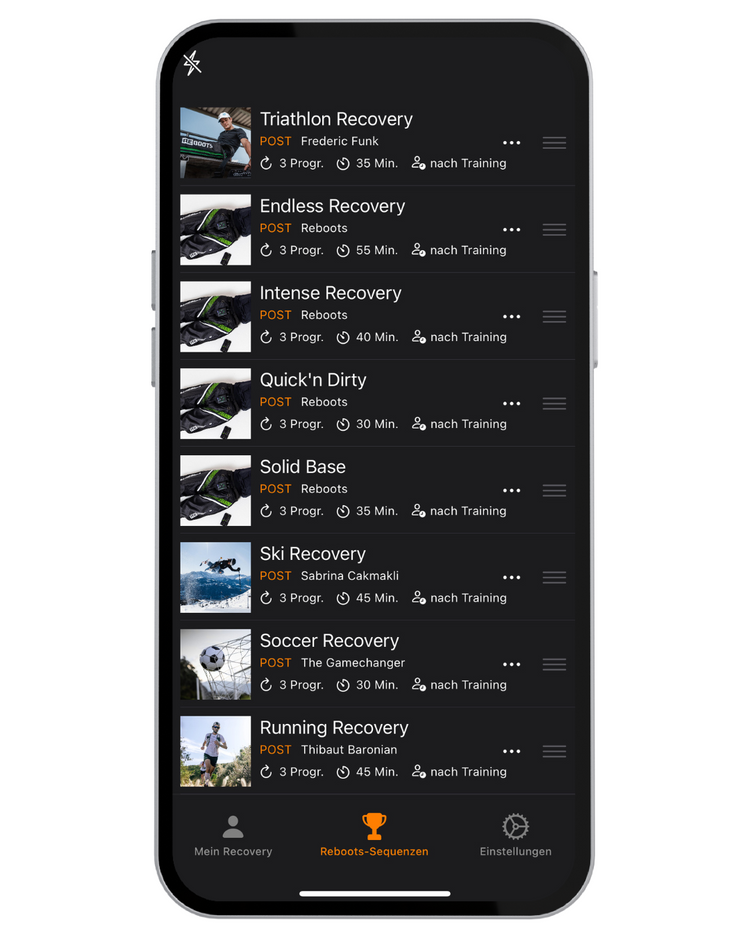
The app already offers you pre-made sequences that intelligently combine several programs. Examples:
- Triathlon Recovery
- Intense Recovery
Simply select, sit back, and regenerate. The app takes full control – you don't have to adjust anything manually anymore.
5. Create your own sequences – Recovery, as you need it
Everyone has different preferences – and that's exactly why you can create your own sequences in the Reboots app:
- Combine programs, set duration and pressure individually
- Save your sequence and retrieve it at any time
- Ideal for different training phases or competition preparation
6. Hold Timer & Interval Timer – Fine-tuning for Professionals
With the Hold Timer, you determine how long a chamber holds the pressure before it releases. With the Interval Timer, you set how much time lies between the compression cycles. These two functions help you to precisely adjust the massage pace to your goal – whether activating Recovery or deep-acting relaxation.
The Program Designer
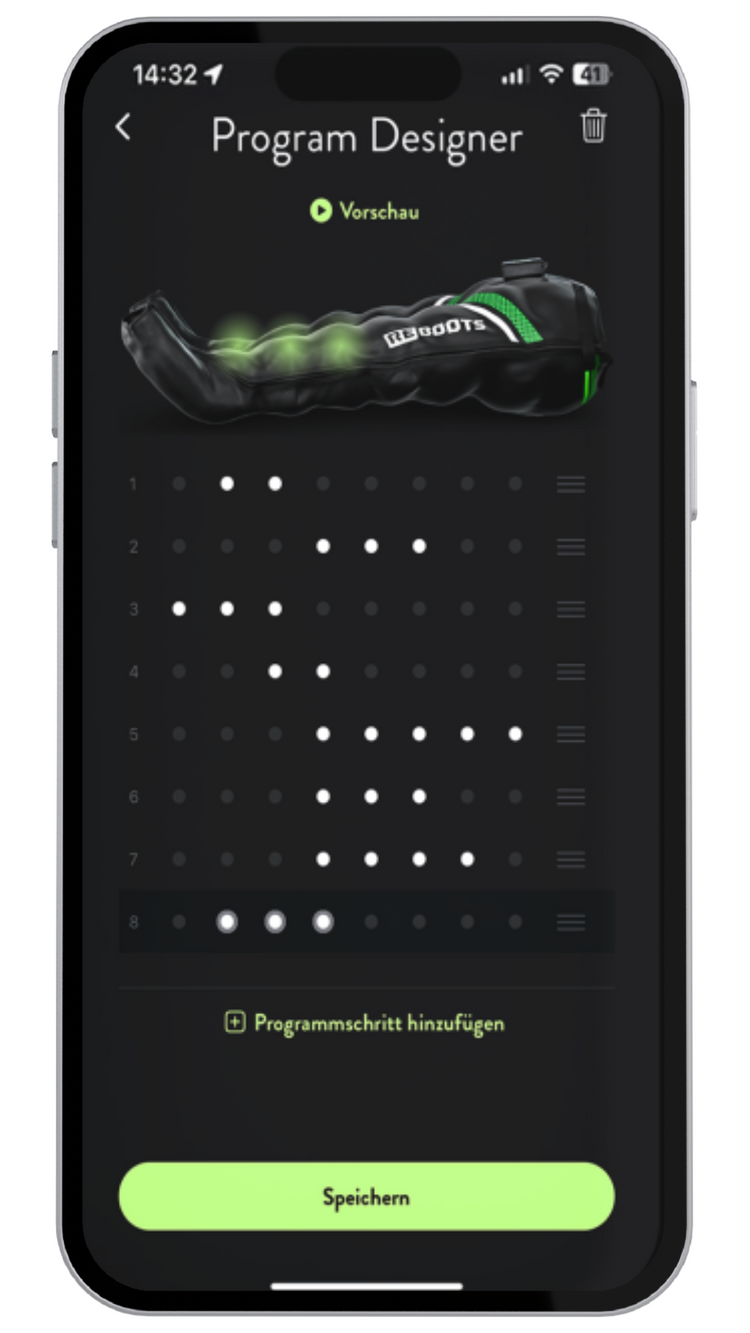
With the Program Designer, you can make your Recovery as individual as your training. Build your own Recovery programs from scratch and set the pressure, chambers, duration and sequence. The Program Designer is included in the app for free.
Sequences let you combine existing programs. With the Program Designer, you build your own program step by step from scratch. This lets you target specific muscle groups, address imbalances or intentionally skip certain areas.
Ideal if you want to plan your recovery precisely: after a race, after intense sessions or as a regular part of your training routine.
The Program Designer is currently available for all Go-X models and iOS users.
Conclusion: Your regeneration, smarter than ever
The Reboots app turns your recovery tool into a state-of-the-art regeneration system – controlled via your smartphone, tailored to you. You decide how, where, and when you regenerate. And the best part? It has never been so easy.
👉 Download now for free and get started right away!